Site survey
We walk the property and measure the signal where you use it — not where the router is. That tells us how many access points you need and where.

Extenders are a patch. Proper coverage is a design. Here is how we approach it, and what changes once it is done.
A single router in a study was never going to cover a double-storey home with brick internal walls. Signal loses strength with every metre and every obstacle, and some obstacles are far worse than others.
Where an access point goes matters more than what it costs. We work out the placement before we quote you on anything.
We walk the property and measure the signal where you use it — not where the router is. That tells us how many access points you need and where.
The best access point in the world is only as good as what feeds it. Wherever we can, we run cable rather than daisy-chaining wireless repeaters.
One name, one password, and a handover between access points you do not notice. Walk from the lounge to the garden mid-call and it stays up.
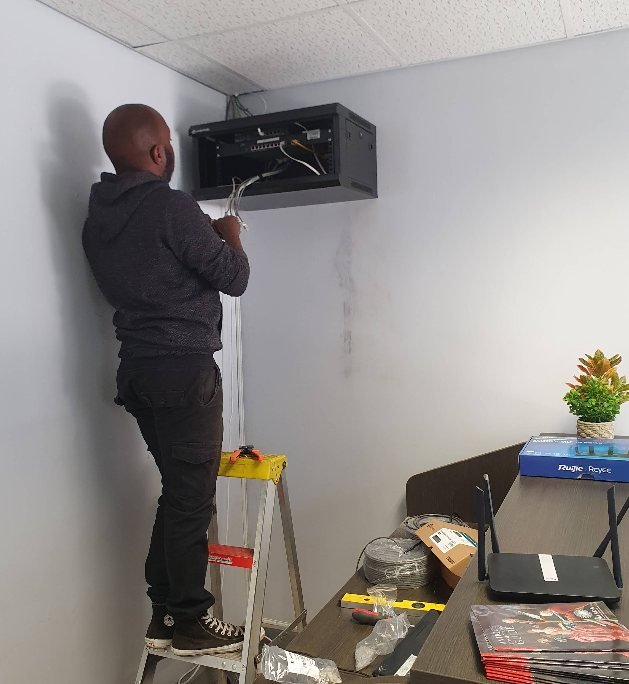
Router, switch, patch panel and recorder in one labelled place, so a fault is quick to find and quick to fix.
Visitors and smart devices on their own network, away from the laptops and the files that matter.
We walk the property again with the system live and confirm the coverage in every room you named.
Router downstairs, nothing usable upstairs. Usually solved with a cabled access point on the upper level rather than another extender.
A separate building on the same property, needing its own coverage without a second internet line.
Staff, point-of-sale, cameras and guest WiFi on one line, kept separate from each other and stable under load.
Patio, pool, garden cottage or parking. Weather-rated outdoor access points instead of hoping the indoor signal reaches.
Several units on one property with coverage that has to be consistent across all of them.
A hard-wired point at the desk for calls that cannot drop, with WiFi handling everything else.
A wireless extender has to receive a weak signal and rebroadcast it on the same air. It typically halves the throughput and often creates a second network your phone clings to long after it should have moved on.
They have their place — a single awkward corner, a rental you cannot cable. But if you have three of them and the WiFi is still bad, adding a fourth will not help. Cabled access points will.
Usually not. Most of the problems we fix are coverage problems inside the building, not line problems. If the line genuinely is the issue we will tell you that too — and we would rather say so than sell you hardware that will not help.
It depends on the size of the building, the wall construction and where you actually use devices. A standard three-bedroom home is often one or two. We will not guess at it over the phone — that is what the site visit is for.
In most cases yes, and we route it as discreetly as possible — through ceilings, roof voids and trunking rather than across walls. Where cabling genuinely is not possible we will say so and discuss the wireless alternatives honestly.
Often, yes. If your existing router or access points are worth keeping we will build around them. If they are the reason the network is struggling, we will explain why rather than quietly replacing them.
You call us. You are dealing with the same team that did the install, which means we already know how your network is laid out.
A quick call is usually enough for us to tell you what it will take.